Your hand replaces your passwords, your keys and your badges.
A tiny chip under the skin, and the software that turns it into your digital and physical identity. One gesture. Nothing to carry.
What your hand replaces at launch
Everything that was in your pockets. Soon in your hand.


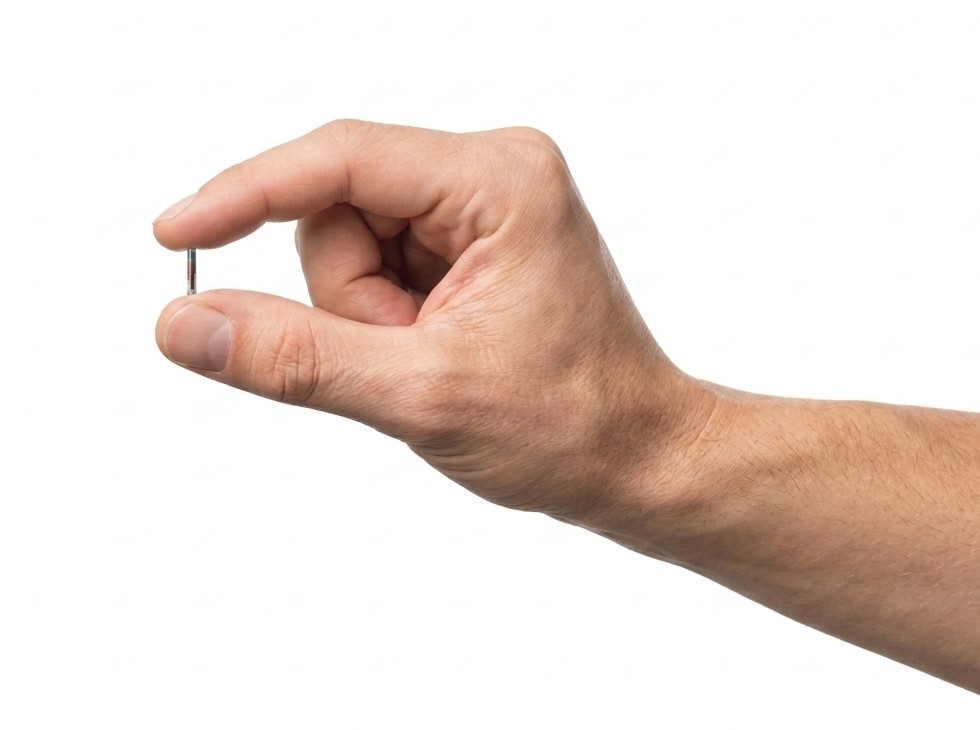
Tap. You are in.
A 2 × 12 mm chip, just under the skin between your thumb and index finger. Once it is in, nothing shows and nothing is felt.
No battery. No signal of its own. Nothing to charge, nothing to lose, nothing to forget.
Why we built it
For four thousand years, proving who you are has meant carrying something.
First a key. Then a card. Then a password, which is only a key you are asked to remember. Then a code sent to a phone, because the password was not enough. Then an app to hold the passwords you could no longer remember, because there were too many of them.
Every generation solved the problem by adding an object. And every object could be lost, forgotten, copied, or handed to the wrong person.
Nobody ever questioned the object itself.
We did.
And we are only getting started
Here is the part we love most.
Everything above is what your hand does at launch. The chip can do much more, quietly waiting for what comes next.
So every time we build something new, it simply appears. No appointment. No second procedure. Nothing extra to buy. You wake up one morning, and your hand does one more thing than it did the day before.
Your gym card. Your business card. Hotel rooms. Ski passes. Concert tickets. Your car. Your bike lock. Transport. Maybe payments. Every loyalty card you own, finally somewhere that is not a wallet or a pocket.
And even, one day, proving who you are without pulling out a single document.
One implant. And every year, we work so that your life needs one less thing in it.
One panel for all of it
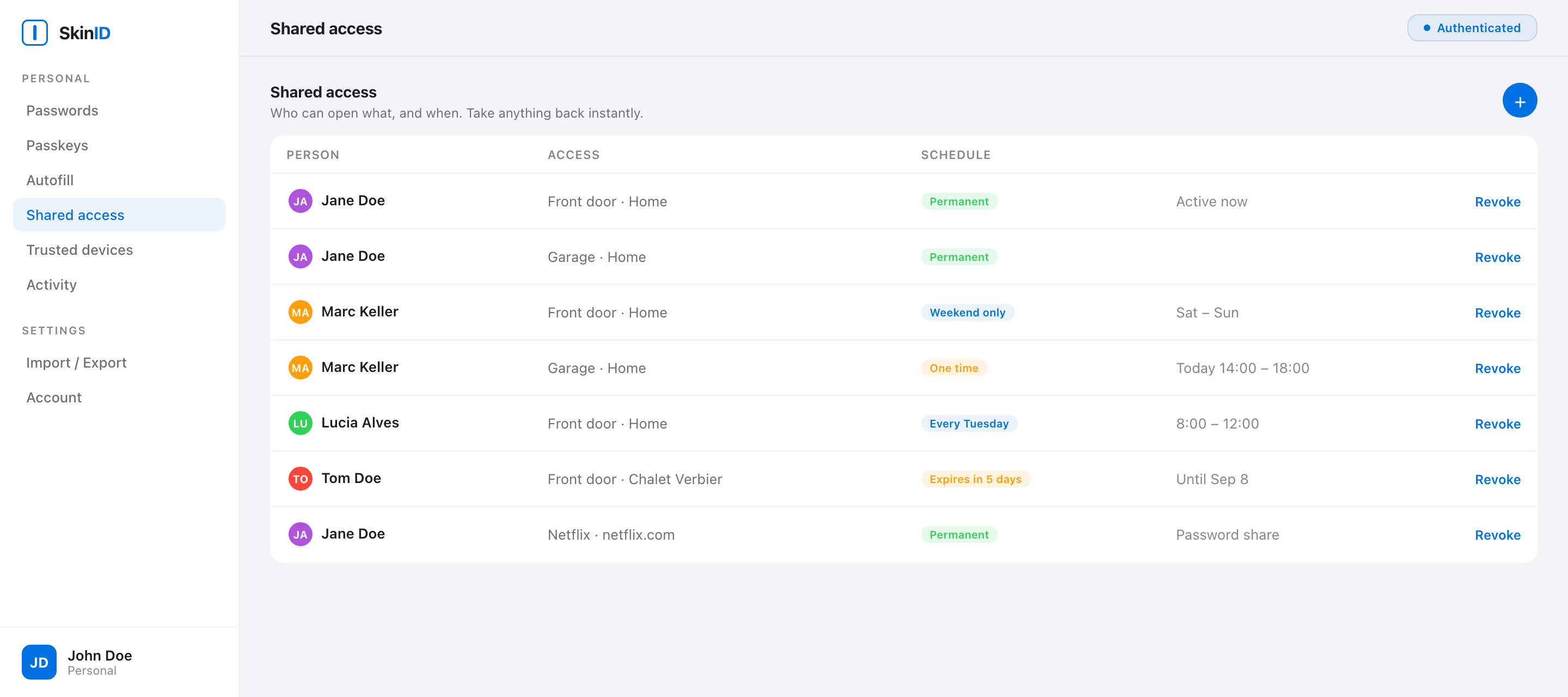
Your partner gets permanent access to the flat. A friend gets it for the weekend. The cleaner gets Tuesday mornings, nine to eleven, and nothing else. Your sister gets the streaming account, and none of the doors. Take any of it back instantly, from anywhere, in one tap.
See what your hand opened today. See everything you have shared, and with whom.
Same panel. Same hand.
Be one of the first five hundred
Lifetime access to the software, free, forever. Monthly updates written by the two founders.
And a real say in what we build next, because your feedback is the roadmap. Use it to shape the future, or just be among the first to hold it.
Join free